UI Responsivity
Documentation for UI Responsivity in the FCU designer guide, covering setup, configuration, workflows, and troubleshooting for Unity projects.
If you need your interface to look correct at different resolutions in Unity, you'll need to configure "Constraints."
In Unity, "Constraints" are called "Anchors," and they work identically to Figma.
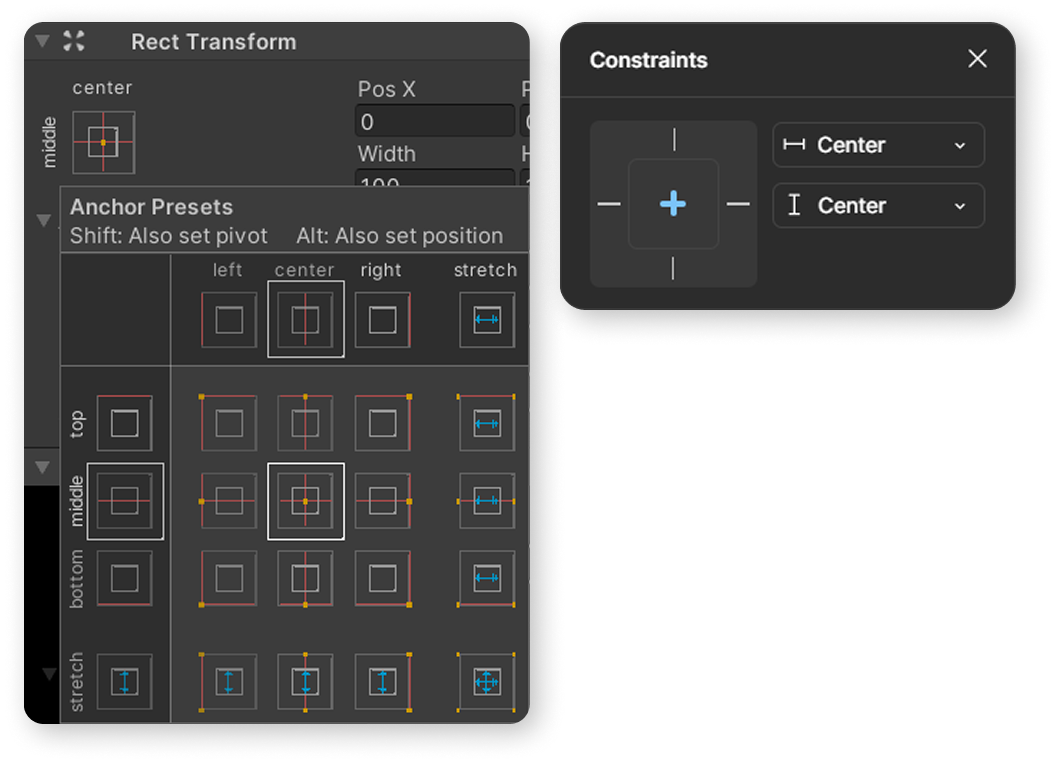
The only exception is that in Unity, you can't use a "Scale" anchor; instead, you need to use "Left and Right" or "Top and Bottom" constraints in Figma.
You can learn how to set up constraints in Figma from this tutorial: https://www.youtube.com/watch?v=U8N1gLcnATE