Issues
Documentation for Issues in the Dependency Manager, covering setup, configuration, workflows, and troubleshooting for Unity projects.
If, for some reason, you cannot activate or deactivate an additional asset and/or see errors in your Editor, you can activate or deactivate assets using "Project Settings":
1
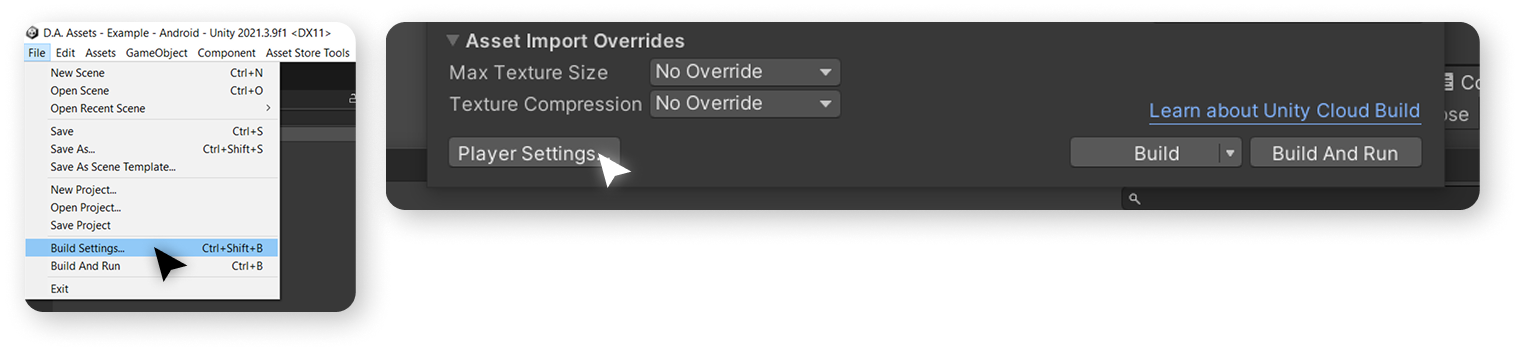
Go to File > Build Settings > Player Settings
2
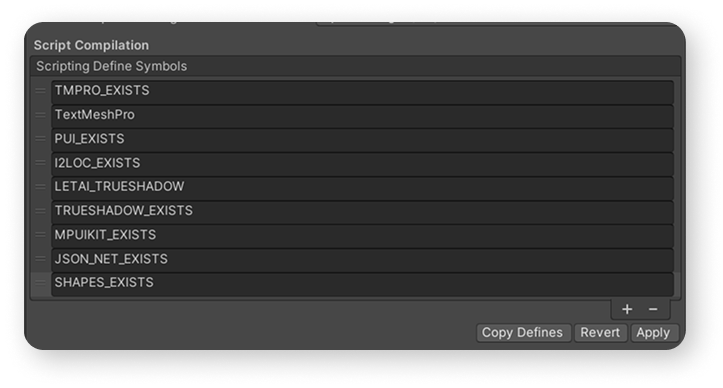
Find "Script Compilation" section in the "Project Settings".
3
Add or remove row from the table that correspond to additional asset.
4
Press "Apply" button.
5
After the scripts in your project are recompiled, you can continue to use the asset.