Teamwork
Documentation for Teamwork in the FCU designer guide, covering setup, configuration, workflows, and troubleshooting for Unity projects.
You can create a team project with the following permissions:
- can edit
- can view
- invite-only
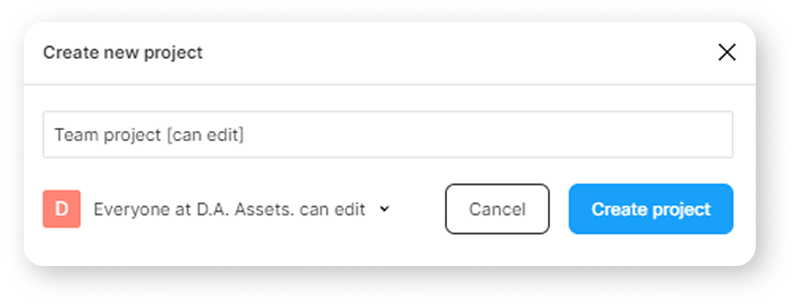
Regardless of which permission you choose, if you select the account from which this project was created when authorizing inside an asset in Unity, you will be able to import frames from it.
But in order for the frames to be imported through other accounts that you want to give access to the project, you need to follow certain steps. See below.
Consider a team-project with the "can edit" permission.
If user A is the owner of the project, and user B tries to download the project from the link, and at the same time, user B does not have access to the project, an error will occur during import:

Send an invite to the email of the user you want to give access to the project.
In order for this user to be able to import a project using an asset, the "can view" permission is enough.
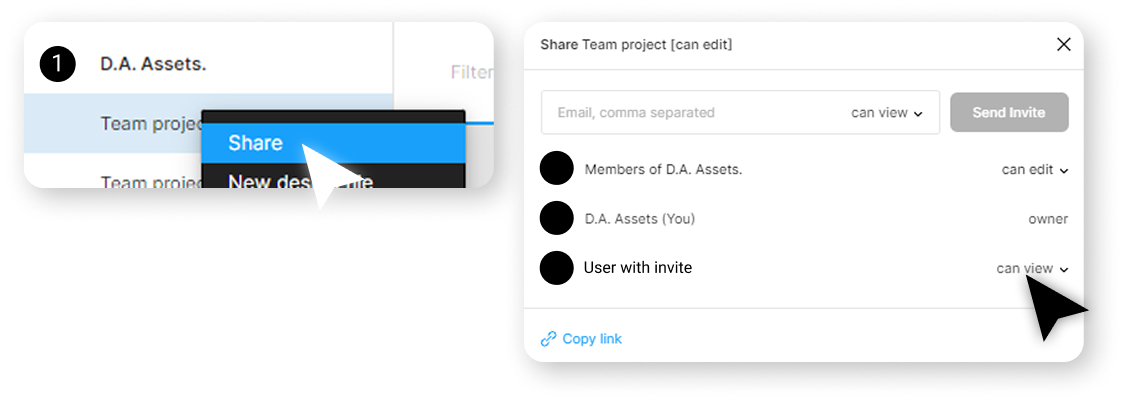
After the user accepts an invite with the correct permissions, he will be able to import the project.

If, for some reason, you have an error with permissions, or layout pictures are not downloading, try re-inviting the user who imports the layout.
Also, some users were helped by re-creating the project with the components of the design system and the project in which instances of these components are used.
I have kept the original wording of the "Either this file doesn’t exist" error, so information on it can be found on the Figma forum or on Google. You may be able to find more precise instructions on how to resolve the permission problem for your situation.
If none of the above helped and the project does not import - create your own project using the account you are logged into the asset, copy the necessary frames to this project, and try to import this project.