Serialization by SyncHelpers
Documentation for Serialization by SyncHelpers in the FCU developer guide, covering setup, configuration, workflows, and troubleshooting for Unity projects.
To generate scripts and serialize them by SyncHelpers, import your project and click the "Generate Scripts" button.
Once your scripts are generated and the project recompiles, switch the "Serialization Mode" field in the script generator settings to "SyncHelper" and click the "Serialize Objects" button.
After this, the asset will automatically add the generated scripts to the corresponding frames and serialize the objects into them, as shown in the screenshot.
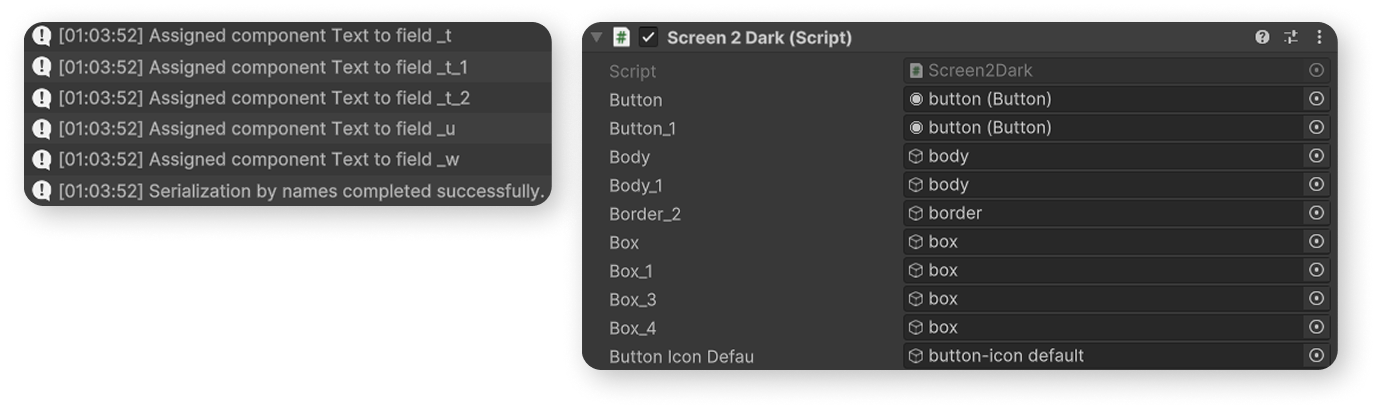
Additional point. As we can see, there are quite a lot of serialized fields (the screenshot is cropped, but there are dozens of them). You can use a custom inspector that groups serialized objects. It looks like this:
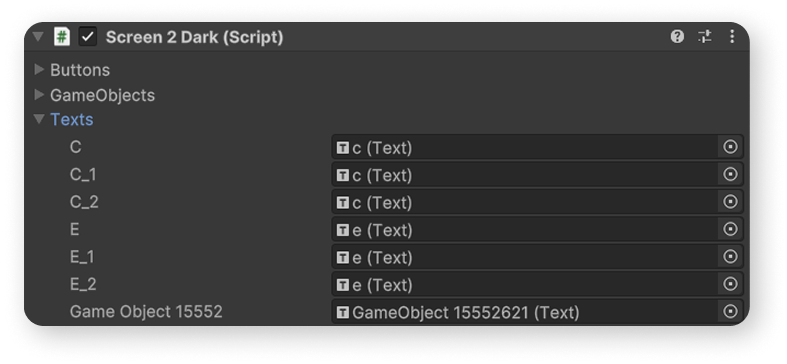
To apply this sorting to any of your scripts, you need to use the script from this gist.
You should also learn how to create a Custom Inspector for your own script.