Localization
Documentation for Localization in the FCU developer guide, covering setup, configuration, workflows, and troubleshooting for Unity projects.
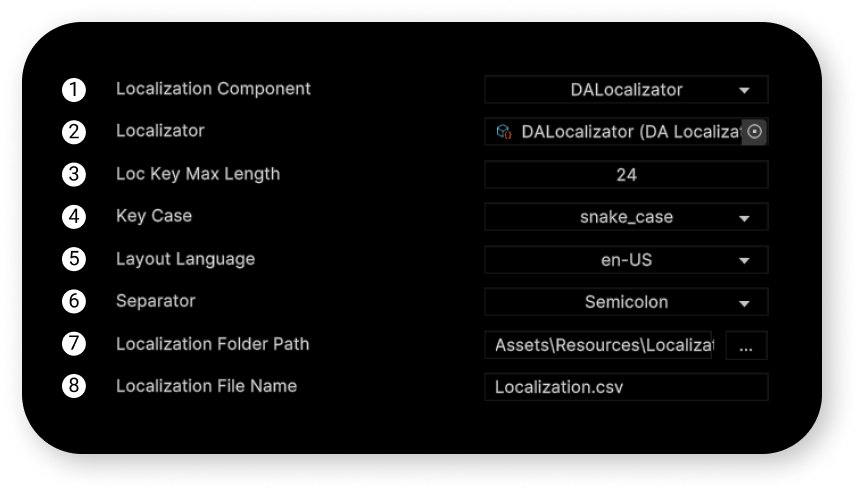
Localization Component
The component that will be used to localize your text components.
Available components:
- D.A. Localizator (soon)
- I2 Localization (link)
Instructions for setting up both assets to work with Figma Converter for Unity are available in this manual under the relevant sections.
Localizator (only for D.A. Localizator)
The component that will be used to localize your text components.
Localization Key Max Length
The max length of the localization key.
Localization Key Case
The localization key case. Available options:
*
snake_case
- UPPER_SNAKE_CASE
- PascalCase
Layout Language
The language of your Figma layout. If this is "en-US," localization key values will be entered in the "en-US" column of your CSV table.
Separator
The separator of your CSV file.
Localization Folder Path
The folder where your localization file is located. It must be inside the "Resources" folder before import. You can change its location after import.
Localization File Name
The name of the localization file that will be in the folder.