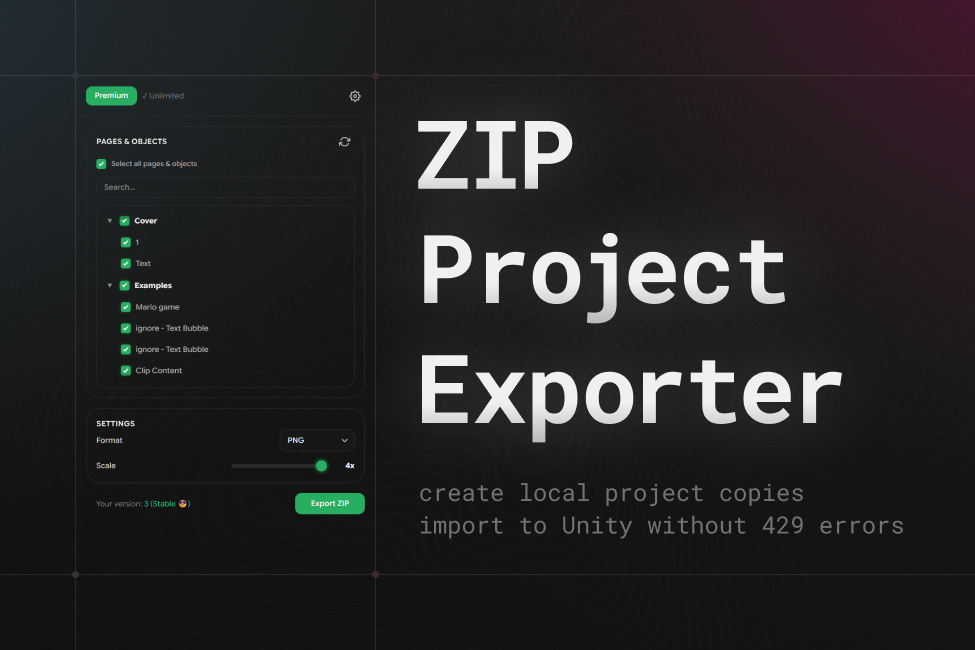
Zero 429 API Rate Limit Errors
Local ZIP archives avoid all Figma REST API limits, allowing frame imports on any Figma tier including Free with 3 free exports per month.
Local ZIP export of Figma projects for unlimited offline Unity imports without 429 API errors
Eliminate 429 Too Many Requests errors by creating local ZIP copies of Figma projects. Import offline into Figma Converter for Unity without hitting cloud API limits.
Convert complex Figma projects locally from ZIP archives without REST API requests or network latency.
Local ZIP archive extraction, zero REST API rate limits, identical Canvas hierarchy output, and secure offline conversion.
Comparison of local offline project archiving versus direct live Figma cloud API requests
| Feature | Offline ZIP Project ExportZIP Project Exporter (Figma Plugin #1611511023937342139) | Direct Figma REST API Importapi.figma.com Endpoints |
|---|---|---|
| Rate Limits & Quota Protection | ||
| Avoid 429 Too Many Requests Errors | SupportedAvoids 429 errors via local memory export[1] | Frequently triggers 429 errors on large files[2] |
| Free Basic Tier Allowance | Supported3 free full-project exports per month[3] | Subject to team-wide shared API limits |
| Air-Gapped & Offline Studio Support | Supported100% offline import from local archive | Not supportedRequires continuous live connection |
| Performance & Workflow Versatility | ||
| Large Project Import Speed | SupportedInstant local disk decompression | Sequential downloads bounded by latency |
| Self-Contained Version Archiving | SupportedPortable .zip file stored in repository | Not supportedTied to live Figma document state |
| Asset Compression & Resolution Scaling | Supported1x-4x scaling with PNG, JPG, SVG & WebP | Standard raster exports only |
Comparative assessment conducted pursuant to EU Directive 2006/114/EC on comparative advertising. Feature data verified against official Figma REST API rate limit policies as of October 2026.
Enterprise-grade data isolation, offline operation, and non-destructive scripts.
Exports are saved strictly to your local workstation; zero design data is retained on external servers.
Zero telemetry and zero tracking of your intellectual property.
Generated ZIP files function 100% offline in any environment.
Avoids rate limiting by utilizing local browser-side memory rendering instead of server REST endpoints.
Supported Unity versions, render pipelines, and target frameworks.
com.da-assets.zpe-figma4fa698e42b8682351ce10d4133b57e6839d39cbdd940f4e306a5a8981ba309871. In the EU timezone, response time is typically within 30 minutes; in other timezones, response time may take longer.
2. The asset developer never distributes mockups or other confidential information of their clients; however, on the Enterprise tier, you can formalize this contractually.
We are open to partnerships with resellers.
You can receive products directly from Asyncvoid and distribute them under the Asyncvoid license.
Support for the Unity Affiliate Program is also available with sales via the Asset Store under the Unity Asset Store EULA.
For more information about reseller partnerships, please contact us at info@da-assets.com.
Everything you need to know about compatibility, workflows, and support.
Figma has reduced the limits for accessing its servers. Now, if you do not have a Figma Pro subscription with a full seat, your limits may not be enough to import large projects.
If you have a Figma Pro subscription, do not plan to cancel it, and your Figma project is located in a Pro team, you should not run into these limits.
However, if you are a free user, you can use ZIP Project Exporter to solve this problem.
ZIP Project Exporter uses an alternative way to retrieve data from Figma. This lets it act as an intermediary between Figma and the Converter and avoid limits, including the 429 Too Many Requests error.
Open Unity and serialize it in Figma Converter for Unity. After that, you can import the Figma layout into Unity from this offline copy.
Yes. You can give this ZIP project to another person, and they will be able to import this project copy an unlimited number of times.
ZIP Project Exporter includes 3 free project exports per calendar month on the basic tier. For continuous project synchronization, larger updates, and commercial team deployments, perpetual commercial licenses start from $59 without ongoing subscriptions.
Direct technical support is available during EU business hours via Discord and email.
Comprehensive integration guides and layout rules for developers and designers.
All updates, improvements, and fixes for this product.
+ Added Support for exporting `sharedPluginData` to `nodes/<id>.json`.
+ Added "Shared plugin data namespace" setting in plugin settings.
* Fixed Fixed an issue where some images were missing from the exported ZIP archive.
+ Added Support for exporting projects larger than 4 GB.
+ Added Support for changing compression settings.
~ Changed Updated the plugin UI.
+ Added Display of Figma User ID in the settings.
+ Added Missing plugin UI localizations.
~ Changed The plugin UI color scheme.
* Fixed Freezes and crashes when exporting large projects.
You can contact me for getting help with my products. The preferred method of communication is Discord or Telegram, as it provides a convenient and fast way of communication, which is very important when solving any possible problems. Join us! 😉👇🏻